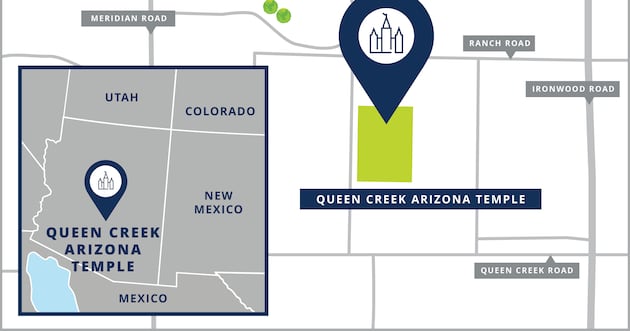
My Temple miracle! On November 29, 2022 I had a miracle happen to me in the Gilbert Arizona Temple.
Background information: my hip had hurt me for a very long time. Since the death of my husband in November 2019, I have been concerned about my ability to live alone and take care of myself not only because of my hip, but I also have a tremor which is getting worse as I age. My hip pain has grown over the past year from discomfort to a deep pain that sometimes limits my ability to walk. As can be imagined, this worried me. 1) because my mother‘s hip totally disintegrated to the point of her being, totally incapable of taking care of herself, and some of my siblings are also experiencing trouble with their hips; and 2) I knew that, even if I had hip replacement surgery, that I have no one to help me, and I knew I would need to prepare for my future to the point of searching and finding an assisted living place that would be a good care facility. Every day I’ve made it a matter of humble and sincere prayer, asking the Lord to help me know what to do.
On this particular Tuesday morning of November 29, 2022, I woke up with excruciating pain in my hip. I got up and tried to walk, but I felt like I would fall. My hip had no strength. I was sitting, and limping, and trying my best to get ready to go to the temple, because I had scheduled an appointment, and was trying my best to get ready to go. But in exasperation, I finally sat down and said to myself, I guess I better cancel my appointment, and just take it easy today. But then, something stirred inside of me, and I made a fist and hit the arm of the chair I was sitting in, and said to myself, “ I am NOT going to let a little pain keep me from going to the temple today!” so I got up and limped around until I was ready, got into my car, and drove to the Temple. As I drove into the Temple parking lot, I said a prayer that I could have angels attend me so that I wouldn’t fall down at any point of my Temple attendance that day. Then I opened my car door and literally hobbled into the temple.
When I finally got up to the endowment room and sat down, I felt so grateful and mused over the blessing of being able to sit during the session without having to stand up, sit down, stand up, sit down, like we used to do.
As the session progressed to the prayer circle portion, I was listening carefully to the prayer offered by the ordinance worker. Suddenly, I heard his words hit my heart and mind with a very powerful thought. “ he is praying for me!” he was saying something to the effect of, “ if there is anyone in this company, who has come to the temple this day, with an unanswered prayer in their heart, or need help or a blessing, please answer their prayers”. My heart was pounding!
I thought,” wait! That’s me! He’s praying for me!” I felt the power of the priesthood in the words of that prayer, and I knew in my heart that my prayers were heard and would be answered! I didn’t know what form the answer would come in, but I knew my prayers would be answered! I could hardly wait to go into the celestial room, into the presence of the Lord, and talk to heavenly father about that prayer!
As I sat in the celestial room, praying with all the faith in my soul, I found myself asking heavenly father to heal my hip. I pleaded with the Lord to bless me so that I would be able to live my life independently, without needing someone to take care of me. I prayed for the pain to leave and for my hip to be healed. During my prayer, I felt something happening inside my hip, and it hurt. So I quickly added, “If it be Thy will. I know miracles happen, and I do have the faith to be healed, IF it be Thy will”. I continued to pray and talk to heavenly father for a while longer.
After my prayer, I sat there for a little bit, pondering on my prayer, and thinking about what I had just asked of heavenly father. I thought of the many miracles, our savior Jesus Christ had performed when he was on the Earth, and I also pondered the words of our dear prophet, when he said in general conference, that some of the greatest miracles the world has ever seen would happen between now and when the savior comes again. I knew the Lord could bless me with healing, IF my faith and my worthiness was sufficient to merit the blessing. After sitting there for a while, I decided to leave. When I stood up, I gasped to myself, “There’s no pain!” I took a few steps, realizing that my hip felt strong, and I gasped again, “There’s no pain!” I walked toward the doors, and again “There’s no pain!” all the way to the locker room, and with every step I took, I just kept repeating the words, “there’s no pain!”
It’s now been several years since this happened, and there’s still no pain in my hip. It feels strong, and I can walk fast and sure, and I marvel every day of the goodness and greatness of God.
I had walked into the temple that day, a cripple, and walked out healed. A miracle happen to me in the temple that day, and I’m so grateful that I was determined to go, even though I could hardly walk and was in a lot of pain. I’m so grateful to the ordinance worker who felt impressed to say the words in the prayer circle that made me feel qualified for a blessing and impressed upon me to know that my prayers are heard and answered by my loving heavenly father, in such miraculous ways. I’m deeply humbled and grateful to my heavenly father, and my Lord and Savior, Jesus Christ, and the sweet whispering of the Holy Ghost, for their undying love and blessings that they shower upon me! I am just so grateful!!!
Valaine Westover
Seville Groves Ward
Gilbert, Arizona Seville Stake